Why whiteboard works for short-form
Short-form video rewards a clear idea delivered fast. A line drawing appearing stroke by stroke gives viewers something to watch from the first second, and word-by-word captions carry the message for people scrolling with the sound off. Because nothing needs filming, it's a natural format for faceless channels: explainers, facts, tips, history, science, money, language learning.
YouTube describes Shorts as videos up to 3 minutes long, uploaded in a vertical format. Sketchflare's shortest lengths, about 30 seconds and 1 minute, suit most Shorts and Reels, and 2 or 3 minutes fit within YouTube's limit if your topic needs it.
A sample 30-second Short
Here is a sample script for a 30-second money tips Short, in the Notebook look with Matilda (friendly, upbeat, American). It's an example of the format, not financial advice.
Scene 1. Says Three money rules I wish someone had told me at eighteen.
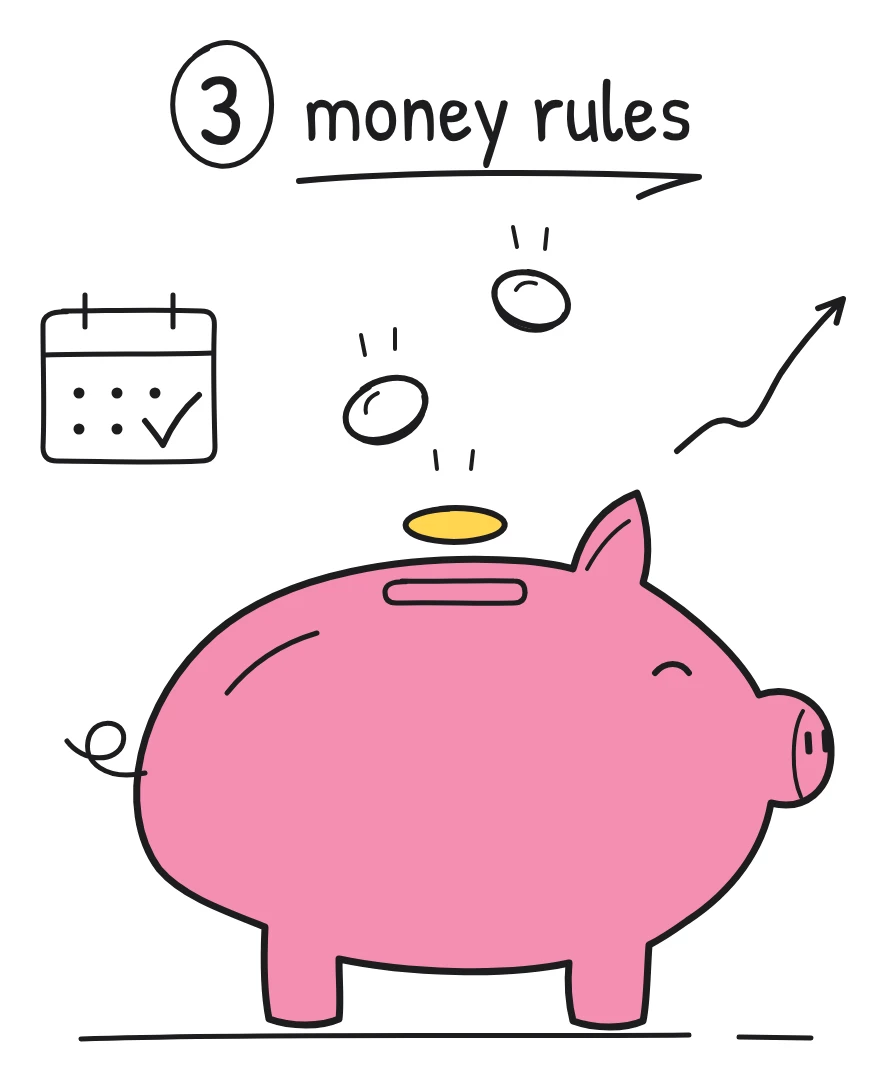
Drawn A piggy bank with the words 3 money rules written above it.
Scene 2. Says One: pay yourself first. Move some savings out the day you get paid, before you spend anything.
Drawn A payslip with an arrow pointing straight into the piggy bank, labelled Payday.
Scene 3. Says Two: keep a rainy-day fund, so a surprise bill doesn't end up on a credit card.
Drawn An umbrella sheltering a small jar of coins from rain clouds.
Scene 4. Says Three: if you can't explain how an investment makes money, don't buy it.
Drawn A question mark over a box labelled Too good to be true, with a hand stepping back.
Scene 5. Says Follow for one money rule every week.
Drawn The piggy bank giving a thumbs up next to a Follow button.
Hooks matter most in short-form. Write the first line yourself, even if the AI writes the rest. For more ideas, see explainer video ideas and microlearning videos.
How to make a Short or Reel
- Start with a topic or a script. Type a topic such as “why the sky is blue in 30 seconds”, upload notes (PDF, TXT or Markdown), or choose “Paste my script” to keep your exact words, hook included.
- Choose Tall 9:16. Then pick a length: about 30 seconds or 1 minute for most Shorts and Reels.
- Pick a look and voice. Five looks give a channel its own style: Whiteboard, Notebook, Chalkboard, Blueprint or Pencil. Six narrators (George, Matilda, Brian, Alice, Daniel, Sarah), or “No voice” for a captions-only video. Add a drawing hand in one of three skin tones, or leave it out.
- Make it and review. Press “Make my video”. Then tighten each scene's narration, rewrite “What's drawn” and press “Draw it again” if a drawing misses, or delete a scene to make it punchier.
- Download and post. Download the MP4 and upload it to YouTube, Instagram or TikTok. Grab the .srt file too if you want separate subtitles on YouTube.
| Shape | Use it for |
|---|---|
| Tall 9:16 | YouTube Shorts, Instagram Reels, TikTok |
| Square 1:1 | LinkedIn and feed posts |
| Wide 16:9 | Regular YouTube videos and longer explainers |
Building a consistent faceless channel
- Pick one look and one voice and stick to them. Viewers start to recognise the style in the feed.
- Use the brand kit (Pro and Team) to set your ink colour, up to three accent colours and a small logo in a corner of every frame.
- Make series. “One rule a week”, “a myth a day”, “history in 30 seconds”. The same structure every time makes scripts quicker to write.
- Repurpose longer videos. A 5 minute wide explainer can give you several 30-second tall Shorts, one idea each.
- Go multilingual. Make videos in any of 16 languages, or on Pro and Team use “Make a copy in…” to translate a finished one, labels inside the drawings included.
If you'd rather build your channel around a recurring character than a whiteboard, StickTale, from the maker of Sketchflare, turns a question into a narrated stickman explainer with the same character in every scene.
What to check before you post
- Facts. Short videos get shared fast. Check every claim, date and number before posting.
- The first two seconds. Does the opening line give a reason to keep watching? If not, rewrite it.
- Captions. Word-by-word captions are part of the video. Read them once for spelling, especially names.
- Platform rules. Check each platform's current rules on monetisation and on labelling AI-made content, as they change.
- The watermark. Free videos carry a small “Made with Sketchflare” mark and are 720p. For a channel you want to grow, Pro removes the mark and gives Full HD 1080p.
Which plan you need
| Plan | Price (as of October 2026) | Roughly |
|---|---|---|
| Free | $0 | 3 video minutes a month: about six 30-second Shorts, 720p with a small mark |
| Pro | $49 a month | 60 video minutes: about 120 30-second Shorts or 60 one-minute ones, Full HD, no mark, brand kit, translations |
| Team | $99 per person a month | 240 video minutes per person, everything in Pro, priority support |
Commercial use is allowed on every plan, including monetised channels. If you post several times a week, Pro is the plan that fits. See pricing.
Questions
Can I make YouTube Shorts with Sketchflare?
Yes. Choose the Tall 9:16 shape and a length of about 30 seconds or 1 minute, then download the MP4 and upload it as a Short. YouTube accepts Shorts up to 3 minutes long.
Can I make faceless videos without recording my voice?
Yes. Choose one of six AI narrators, or “No voice” for a captions-only video. Sketchflare doesn't use your own voice or face.
Can I monetise videos made with Sketchflare?
Commercial use is allowed on every plan. Whether a video can earn money also depends on each platform's own monetisation rules, so check those for your channel.
Does Sketchflare add captions automatically?
Yes. Every video gets word-by-word highlighted captions, and you can download .srt and .vtt subtitle files too.
Can I add music?
Sketchflare doesn't include a music library. If you want music, add it in your phone's or platform's editor after downloading the MP4.