What onboarding videos are good for
New starters get a lot of information in their first weeks, mostly as documents and slide decks. A short video won't replace a manager or a buddy, but it is a good way to cover the things everyone needs to hear the same way: how the company works, where to find things, who to ask and what happens when. Record it once and every new hire gets the same clear version, in the order they need it.
A useful pattern is a small series rather than one long video. For example:
| When | Video | Suggested length |
|---|---|---|
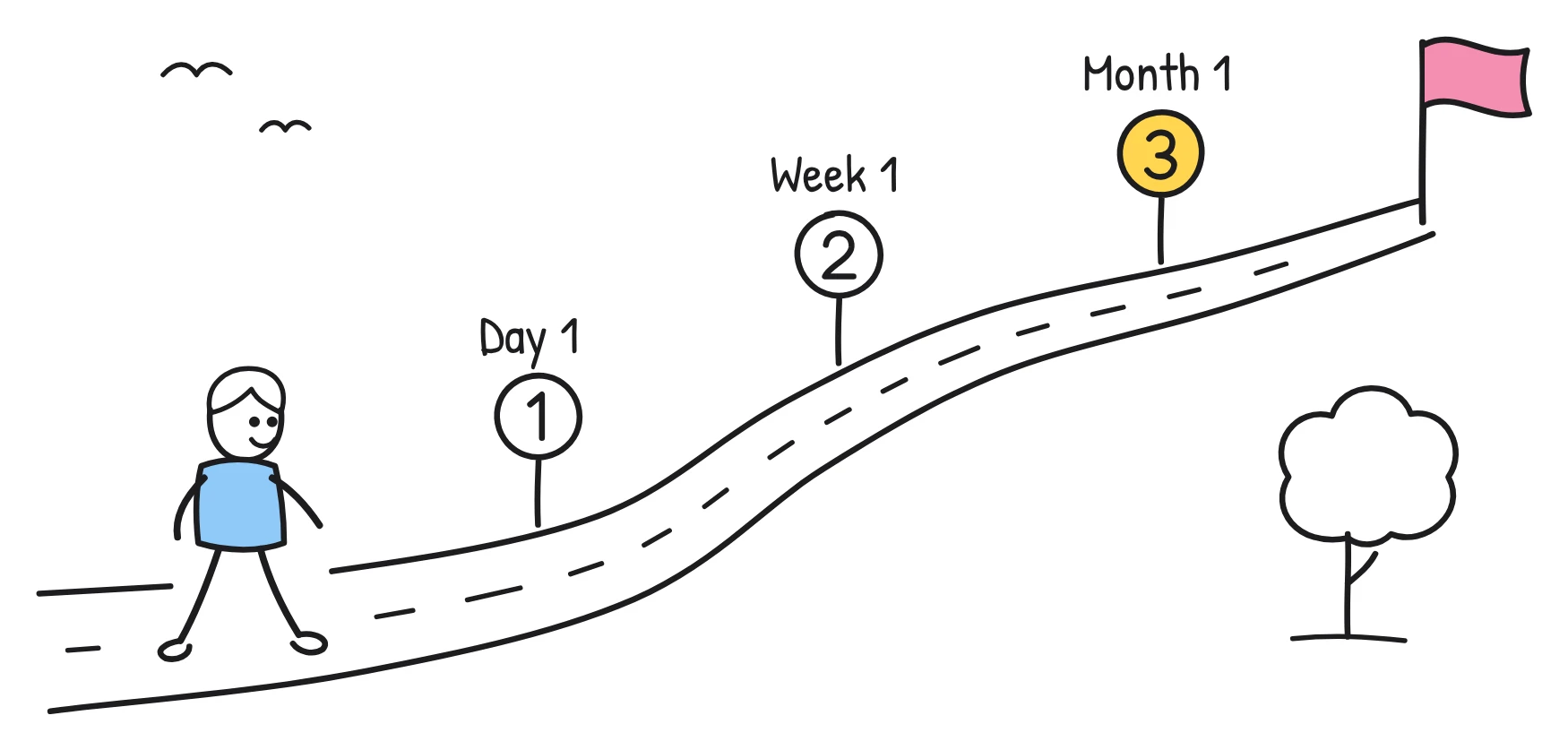
| Before day one | Welcome, what to expect on your first day | About 1 minute |
| Day one | How we work: tools, channels, who to ask | 2 to 3 minutes |
| Week one | Policies in plain words: time off, expenses, security | 3 minutes |
| Month one | How we set goals and give feedback | 2 minutes |
A sample onboarding script: your first day
Here is a sample 1 minute welcome script, the kind Sketchflare might write from a two-page welcome pack. Swap in your own details.
Scene 1. Says Welcome to the team! This short video walks you through your first day, so nothing comes as a surprise.
Drawn A door opening onto an office, with a banner above it labelled Welcome.
Scene 2. Says At nine, your manager will meet you at reception and give you your laptop and access badge.
Drawn A reception desk with a clock showing nine, a laptop and a badge on the counter.
Scene 3. Says In the morning, you'll set up your accounts. IT has a checklist, and your buddy can help if anything gets stuck.
Drawn A laptop with a checklist on screen and two people sitting side by side.
Scene 4. Says Lunch is on us. It's a good chance to meet the rest of your team.
Drawn A table with plates and four smiling stick figures around it.
Scene 5. Says In the afternoon, you'll have a short chat with your manager about your first week and what success looks like.
Drawn Two chairs facing each other and a road with signposts labelled Day 1, Week 1 and Month 1.
Scene 6. Says Questions at any point? Ask your buddy or post in the new starters channel. Nobody expects you to know everything yet.
Drawn A speech bubble with a question mark and a chat window labelled New starters.
Want to write your own? Our employee onboarding video script post has a structure and more examples.
How it works for HR and people teams
- Start from what you have. Upload the handbook or welcome pack (PDF, TXT or Markdown; text-based PDFs work best), type a topic such as “how holiday requests work”, or paste a script you've written with “Paste my script”.
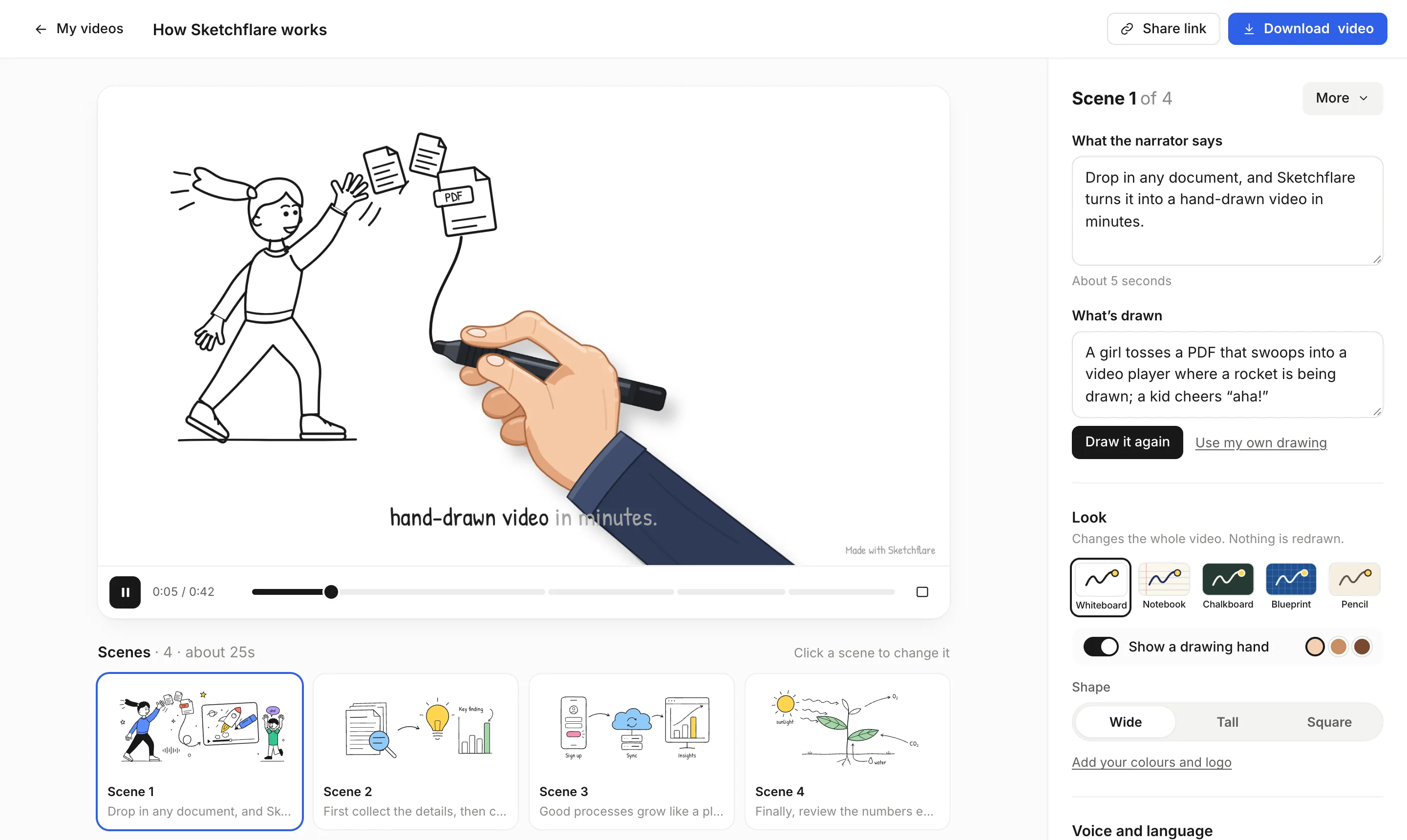
- Choose the feel. Notebook (blue ballpoint on ruled paper) or Pencil feel friendly and informal; Whiteboard feels classic. For the voice, Matilda (friendly, upbeat, American) or George (warm storyteller, British) suit a welcome. Add a drawing hand if you like seeing the pen move.
- Set length, shape and language. Pick from about 30 seconds up to 10 minutes. Wide 16:9 works for an LMS or intranet; Square 1:1 for an internal feed. Make it in any of 16 languages.
- Review the scenes. Fix names, times and places in “What the narrator says”. Change a drawing by editing “What's drawn” and pressing “Draw it again”, or upload your own SVG. Add, move or delete scenes.
- Send it. Share a link that new starters can watch without an account, download an MP4 for your intranet, or export SCORM 1.2 on Pro and Team so your LMS records completion.
What to check before you send it
- Facts that change. Office addresses, start times, tools and contact names go out of date. Keep these in one or two scenes so they are quick to update.
- Policy details. If the video mentions time off, expenses or security rules, check each one against the current handbook.
- Tone. Onboarding should sound welcoming but not over-promise. Read the narration aloud and adjust anything that sounds off for your culture.
- Accessibility. Keep captions on for people watching without sound, and attach the .vtt or .srt file in your player or LMS.
- People in drawings. Drawings are simple line art, so check that scenes show a mix of people and nothing that looks like a specific colleague.
Brand and languages
On Pro and Team, the brand kit sets your marker colour, up to three accent colours and a logo drawn in a corner of every frame, so the welcome video looks like it comes from you. If you hire in several countries, “Make a copy in…” creates a translated copy in any of the 16 languages, including the text inside the drawings. See translating training videos.
Which plan you need
| Plan | Price (as of October 2026) | Fits |
|---|---|---|
| Free | $0 | Trying one short welcome video: 3 video minutes a month, 720p with a small mark |
| Pro | $49 a month | A full onboarding series: 60 video minutes, Full HD, no mark, brand kit, translations, SCORM 1.2 |
| Team | $99 per person a month | High volume: 240 video minutes per person, everything in Pro, priority support |
A four-video series like the one above adds up to around 8 to 9 minutes, which fits easily within Pro's 60 minutes, with room to remake videos when things change. See pricing.
Questions
What should an employee onboarding video include?
Cover what every new starter needs to hear the same way: a welcome, the first day, how the company works, key policies and who to ask. Keep each video to one topic.
Can I make onboarding videos from our employee handbook?
Yes. Upload the handbook as a PDF, TXT or Markdown file and Sketchflare writes a script from it. For a long handbook, make one short video per section.
Do new starters need an account to watch?
No. With a share link, anyone with the link can watch without an account, and you can turn sharing off at any time.
Can I put onboarding videos in our LMS?
Yes. On Pro and Team you can export a SCORM 1.2 package for Moodle, TalentLMS, Docebo and most other LMSs. It reports completion when about 90% has been watched.
Can onboarding videos be made in other languages?
Yes. Choose from 16 languages before you make a video, or on Pro and Team use “Make a copy in…” to translate a finished one.