What is the difference between whiteboard animation and motion graphics?
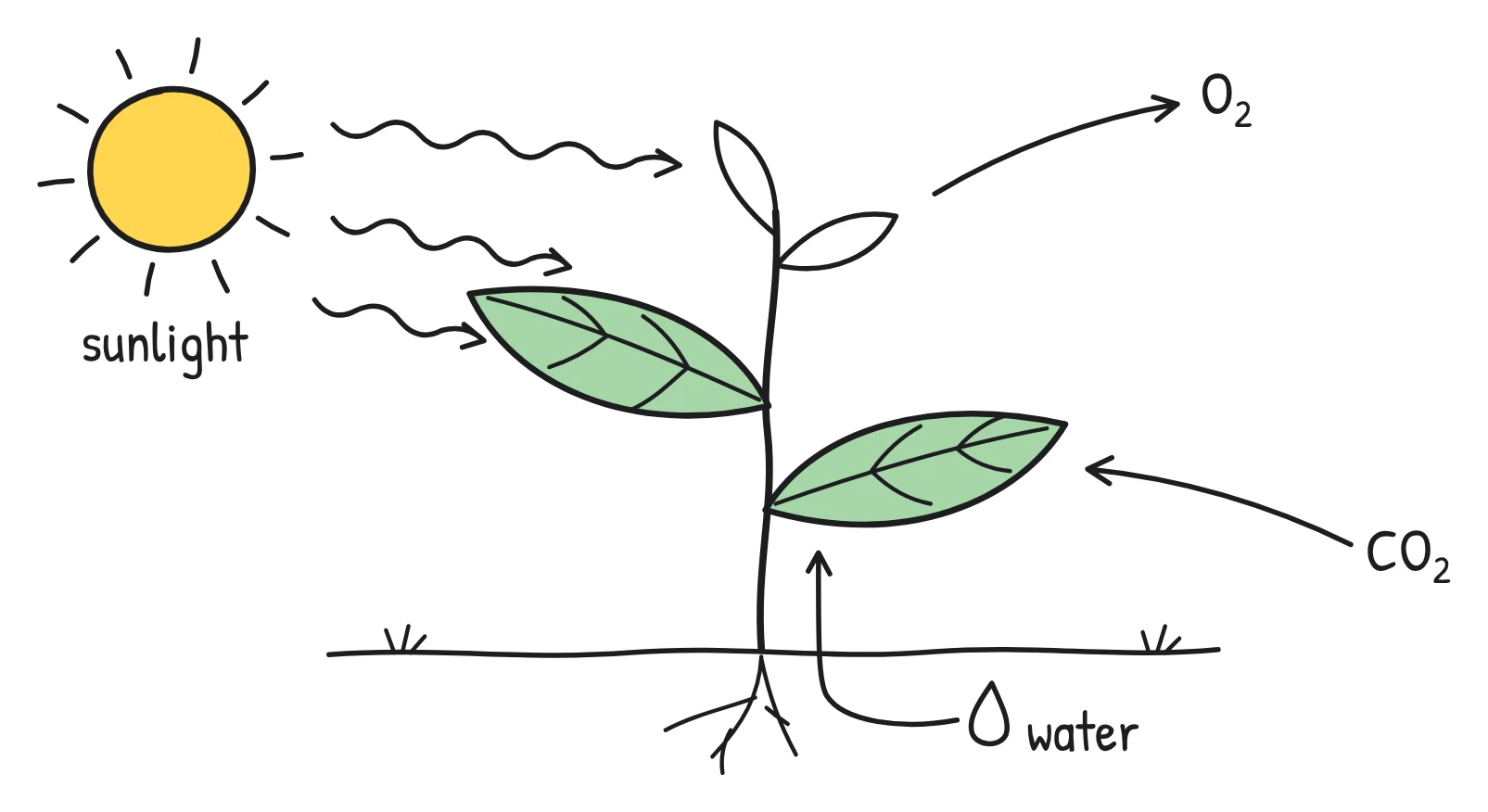
Whiteboard animation shows simple line drawings being sketched on a plain background as a narrator explains them; motion graphics use moving shapes, icons, text and colour, usually in a flat, polished design style. Whiteboard feels like a person explaining something on a board. Motion graphics feel like a designed brand piece.
The difference is more than looks. Whiteboard videos build an idea up one line at a time, which suits step-by-step explanation. Motion graphics can move faster and show more at once, which suits energy, data and brand impact, but they take more design work to make and to change.
What are the main training video styles?
Most training and explainer videos fall into four styles. Many real videos combine two of them.
- Whiteboard or hand-drawn animation: line drawings appear as the narrator speaks, on a whiteboard, chalkboard, notebook or similar background.
- Motion graphics (and character animation): animated shapes, icons, typography and sometimes cartoon characters, in a designed colour palette.
- Talking head or AI avatar: a real presenter filmed on camera, or an AI-generated presenter reading a script. Tools such as Synthesia specialise in AI avatar presenters.
- Screen recording: a recording of a computer screen, often with narration, showing exactly where to click.
How do the styles compare on cost, speed and tone?
Whiteboard and screen recordings are usually the cheapest and quickest to make; motion graphics are usually the most expensive and slowest; talking heads sit in between, depending on whether you film people or use avatars. The table below compares them in relative terms, because real costs depend heavily on who makes the video and how.
| Style | Relative cost | Speed to make and update | Tone | Best for |
|---|---|---|---|---|
| Whiteboard / hand-drawn | Low to medium (low with AI tools) | Fast; scenes can be changed one at a time | Calm, clear, friendly, "someone is explaining this to me" | Policies, processes, concepts, lessons, compliance |
| Motion graphics | Medium to high | Slowest; design and animation for each scene | Polished, modern, energetic, branded | Product launches, brand stories, data highlights, marketing |
| Talking head (filmed) | Medium; needs a presenter, a room and editing | Medium; any change means re-filming | Personal, human, authoritative | Leadership messages, welcomes, culture, sensitive topics |
| AI avatar | Low to medium | Fast; edit the script and regenerate | Presenter-style, consistent | Frequent updates where a presenter look is wanted |
| Screen recording | Low | Fast, but redo it when the software changes | Practical, matter-of-fact | Software how-tos, system training, walkthroughs |
For a closer look at budgets, see how much an explainer video costs.
When should you use whiteboard animation?
Use whiteboard animation when the main job is to explain: a rule, a process, a cause and effect, or an idea that is easier to draw than to describe. The sketching effect slows the viewer down to the pace of the explanation and keeps attention on one thing at a time.
- Compliance and policy: data protection, anti-bribery, expenses, safety rules. See compliance training videos.
- Processes: how a request moves from team to team, how to report an incident.
- Concepts: how phishing works, what a conflict of interest looks like, how photosynthesis works.
- Content that changes often: simple drawings are quick to redraw when the policy changes.
- Lessons and courses: teachers and course creators explaining one idea per video.
There is some research support for the format. In a 2022 study in the Australasian Journal of Educational Technology, 299 participants learned social science topics from whiteboard animations, narrated slides, an on-stage lecture or audio alone. Those who watched whiteboard animations answered significantly more questions correctly than those who watched the lecture or the narrated slides, and reported more enjoyment and engagement than those two groups. An earlier study of edX course videos also found that Khan Academy-style tablet drawings were more engaging than slides. These are specific studies, not universal laws, but they point the same way. For more, see why whiteboard videos work.
When should you use motion graphics?
Use motion graphics when the video needs to look polished and on-brand, carry energy, or animate data. They are a strong choice for product launches, investor or customer-facing explainers, internal campaigns and short social clips where visual impact matters more than step-by-step explanation.
The trade-off is production effort. Each scene is designed and animated, often by a specialist, so changes after sign-off cost time. That is fine for a flagship video that will be used for a year; it is harder to justify for a policy that changes every quarter.
When should you use a talking head or an AI avatar?
Use a filmed talking head when the person matters as much as the message: a CEO explaining a change, a welcome from the team, or a sensitive topic where a human face builds trust. The edX study mentioned above also found informal talking-head videos to be among the more engaging formats.
AI avatars give you a presenter-style video without filming, and the script can be updated and regenerated. They suit teams that want a presenter on screen and produce a lot of updates. Some audiences find avatars less personal than a real colleague, so test with a small group first.
When should you use screen recording?
Use screen recording whenever the learner needs to do something in software. Nothing beats seeing the real button in the real place. Keep recordings short and task-focused ("how to submit an expense claim"), and expect to re-record when the interface changes.
Which style works best for each type of training?
Match the style to the job the video has to do. Here are sensible defaults for common training and education videos:
| Training type | Best default style | Why |
|---|---|---|
| Compliance and policy | Whiteboard | Explains rules clearly, calm tone, easy to update when the policy changes |
| Health and safety | Whiteboard, plus filmed footage for physical demonstrations | Drawings explain the why; real footage shows the how |
| Employee onboarding | Talking head welcome, then whiteboard for processes | Human connection first, then clear explanations |
| Software and systems training | Screen recording | Learners need to see the exact screens |
| Product training for staff | Whiteboard for how it works, screen recording for the interface | Concept first, then hands-on detail |
| Product launch or brand campaign | Motion graphics | Polish and energy matter most |
| Leadership or change message | Filmed talking head | Trust comes from a real person |
| School lessons and courses | Whiteboard or chalkboard | Builds one idea at a time, like a teacher at the board |
| Research summaries | Whiteboard | Turns dense findings into a simple visual story |
| Shorts and Reels | Whiteboard in a tall format, or motion graphics | Fast, visual and readable on a phone |
For onboarding ideas in practice, see employee onboarding videos and our onboarding video script.
Can you mix whiteboard animation with other styles?
Yes, and it often works better than forcing one style to do everything. A common pattern is a 2-minute whiteboard explainer for the "why", followed by a short screen recording for the "how". Another is a brief filmed welcome from a manager, then a whiteboard video that walks through the first week. Keep each video focused on one job and link them together in your LMS or onboarding page.
How do you choose the right style?
Ask five questions about the video before you pick a style:
- Is the main job to explain, to show, to inspire or to connect? Explain: whiteboard. Show software: screen recording. Inspire or launch: motion graphics. Connect: talking head.
- How often will the content change? Frequent changes favour styles you can update scene by scene, like whiteboard or AI avatar videos.
- How many videos do you need? One flagship video can justify motion graphics; a library of 30 policy videos usually can't.
- Where will it be watched? On mute on a phone, captions and simple visuals matter more than fine detail.
- What tone fits the topic? Serious or sensitive topics suit a calm narrator and clean drawings, or a real person.
How does Sketchflare fit in?
Sketchflare makes the whiteboard and hand-drawn style only. You type a topic, upload a PDF, TXT or Markdown file, or paste a script, and it writes the scenes, draws each one as line art and records the voice-over with word-by-word captions. You can choose between five looks (Whiteboard, Notebook, Chalkboard, Blueprint and Pencil), six narrators and 16 languages, and change any scene in the studio.
It doesn't do avatars, stock footage, screen recording or motion graphics. If you need those, use a specialist tool alongside it. If your job is explaining policies, processes and ideas clearly, and keeping those videos up to date, that is exactly what it is built for. See pricing for plans.
Questions
Is whiteboard animation better than motion graphics?
Not always. Whiteboard animation is usually better for explaining rules, processes and ideas step by step; motion graphics are better for polished, branded or high-energy videos such as product launches.
Which is cheaper, whiteboard animation or motion graphics?
Whiteboard animation is usually cheaper and quicker, because the drawings are simple line art. Motion graphics typically need more design and animation work for every scene.
Are whiteboard videos good for corporate training?
Yes, especially for compliance, policy, process and safety topics. Their calm, step-by-step style suits explaining rules, and simple drawings are easy to update when the content changes.
Should I use an AI avatar or a whiteboard video?
Choose an avatar when you want a presenter on screen; choose a whiteboard video when the content is easier to understand as drawings, such as a process, a concept or a set of rules.
Is there research showing whiteboard animations help learning?
Some. A 2022 study with 299 participants found that people who learned from whiteboard animations answered significantly more questions correctly than those who watched narrated slides or an on-stage lecture. It is one study on social science topics, so treat it as encouraging rather than conclusive.
Sources
- Turkay (2022), comparison of whiteboard animations with other presentation formats, Australasian Journal of Educational Technology
- Guo, Kim & Rubin (2014), How video production affects student engagement: an empirical study of MOOC videos
- UBC Video Learning Hub: summary of Guo, Kim & Rubin (2014)
- Synthesia homepage (AI video and avatar platform, as of October 2026)